Home Security System Self Monitoring: Complete Guide
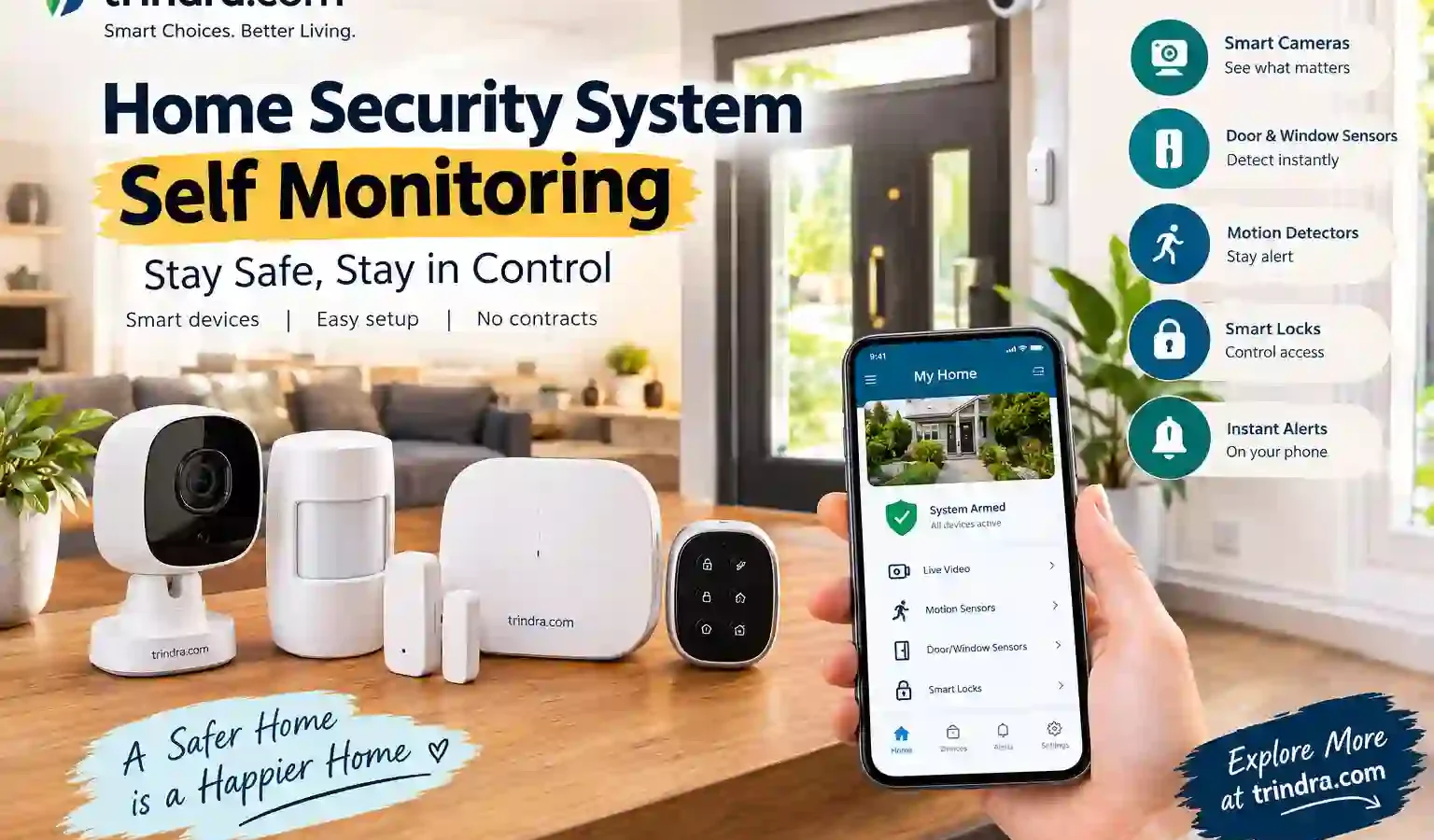
Protecting your home does not always require expensive security services or long-term contracts. With a home security system self monitoring setup, you can keep an eye on your property, receive instant alerts, and manage your security devices directly from your smartphone. This approach gives homeowners and renters more control over their safety while helping them choose security options that fit their budgets.
Modern security technology has made home protection more convenient than ever. From smart cameras and door sensors to motion detectors and mobile notifications, today’s devices help you stay informed about activity around your property. Whether you live in a house or an apartment, understanding your options can help you build a reliable security system.
In this guide, we will explore different security devices, explain how self-monitoring works, and share practical tips for selecting a system that suits your needs.
What Is a Home Security System Self Monitoring Setup?
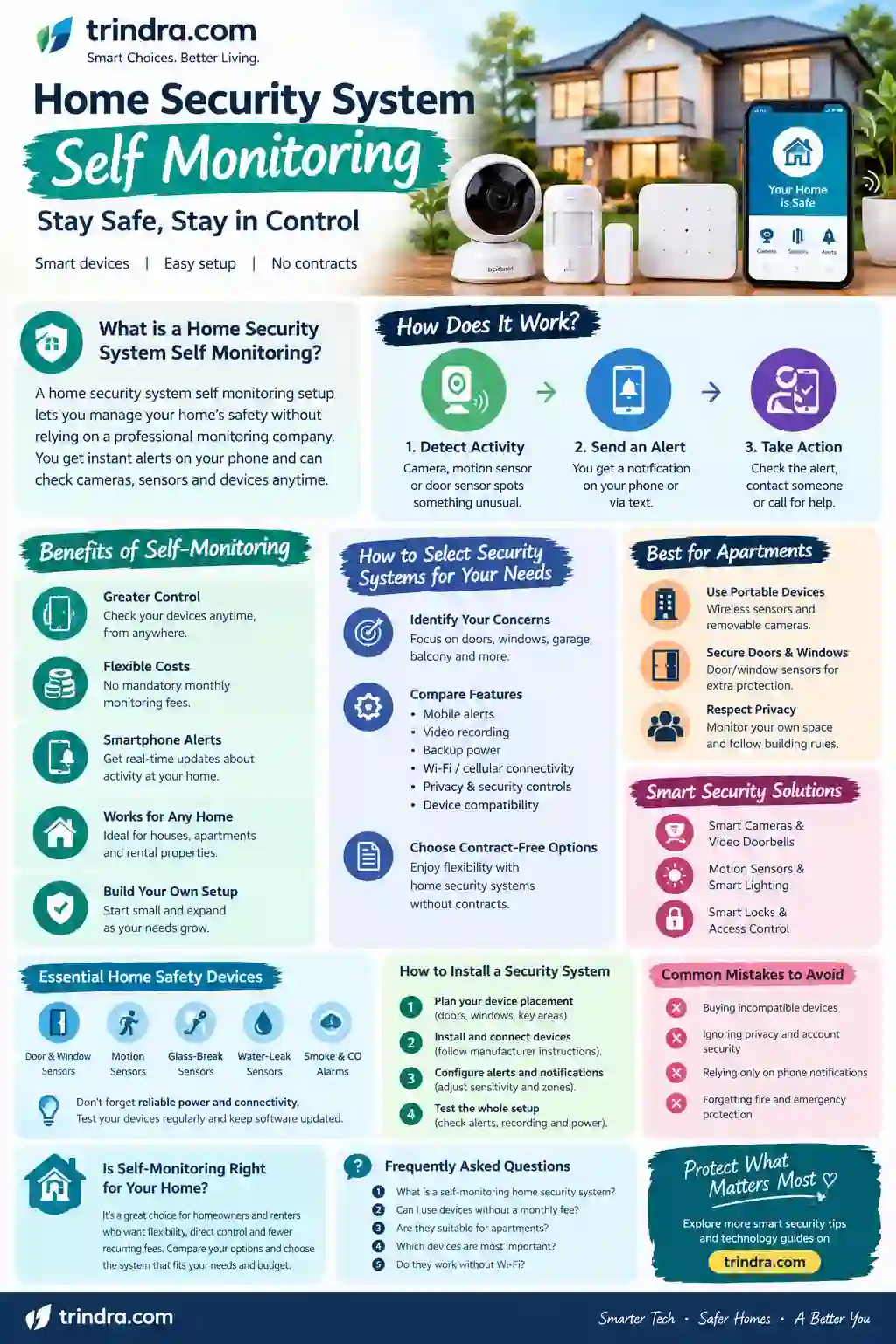
A home security system self monitoring setup allows you to manage your home’s security without relying on a professional monitoring company. Instead, you receive alerts through a smartphone application and decide how to respond when something unusual happens.
For example, if someone opens a protected door while you are away, a connected sensor can send a notification to your phone. Depending on your equipment, you may also receive a camera alert, activate a siren, or check a live video feed.
How Does Self-Monitoring Work?
Most self-monitoring systems use a combination of connected devices, a control hub, and a mobile application.
The process usually involves three simple steps:
- Detect activity: A camera, motion detector, or door sensor identifies movement or an unexpected event.
- Send an alert: The system notifies you through an application, text message, or another supported method.
- Take action: You can check the alert, contact someone you trust, or call local emergency services when necessary.
The exact features depend on the system you select. Some devices require a Wi-Fi connection, while others use cellular connectivity or offer local recording.
Why Are Homeowners Choosing Self-Monitoring?
Self-monitoring appeals to people who want flexibility and greater control over their home security. It can also reduce recurring monitoring expenses because professional monitoring is not always required.
However, self-monitoring means you are responsible for reviewing alerts and deciding what to do. If your phone is unavailable, your internet connection fails, or you miss a notification, you may not respond immediately.
Benefits of Self-Monitoring Home Security Systems
Choosing a self-monitoring setup can offer several advantages for households with different security needs.
Greater Control Over Your Property
A self monitoring home security system lets you check connected devices whenever you have access to the required application and network. You can review notifications, check cameras, and adjust supported settings without contacting a monitoring company.
This control is especially useful when you travel, work outside your home, or want to check on your property during the day.
Flexible Costs and Fewer Monthly Fees
Professional monitoring services often charge recurring fees. With self-monitoring, you can choose equipment that operates without a mandatory monitoring subscription.
Nevertheless, check the full cost before purchasing. Cloud video storage, advanced alerts, cellular backup, and other features may require additional payments.
Convenient Smartphone Alerts
Smartphone notifications help you stay informed about activity around your home. Depending on your equipment, you may receive alerts when a door opens, motion is detected, or a camera identifies activity.
These notifications can help you decide whether an event requires attention. Properly adjusted sensitivity settings are important because frequent false alarms can become distracting.
Flexible Security for Different Homes
Self-monitoring can work in detached houses, rented properties, and smaller living spaces. You can begin with a few essential devices and expand your setup as your needs change.
This flexibility makes it easier to create a security plan without purchasing every available device at once.
How to Select Security Systems for Your Needs
When you select security systems, focus on your property, budget, daily routine, and preferred level of protection. The most expensive option is not necessarily the most suitable.
Identify Your Main Security Concerns
Start by identifying the areas you want to protect. Common priorities include entry doors, accessible windows, garages, balconies, and shared entrances.
Consider whether you need indoor cameras, outdoor cameras, motion detection, or door and window sensors. Renters may need portable devices that do not require permanent installation.
Compare Essential Features
Before making a purchase, compare these important features:
- Mobile alerts: Check whether the system sends notifications without a paid subscription.
- Video recording: Determine whether footage is stored locally or in cloud storage.
- Backup power: Look for battery support during power interruptions.
- Connectivity: Check Wi-Fi requirements and whether cellular backup is available.
- Privacy controls: Review camera access, encryption, account security, and data-storage policies.
- Compatibility: Confirm that devices work together and support your smartphone.
Reading product specifications carefully can prevent unexpected costs and compatibility problems.
Consider Security Systems Without Contracts
Home security systems without contracts can be appealing if you want to avoid long-term commitments. Many self-monitoring devices can be purchased outright, allowing you to choose whether optional services are worthwhile.
Before buying, read the subscription terms. A product may advertise contract-free installation while charging extra for cloud storage, advanced notifications, or other features.
Best Apartment Security Systems for Renters
Apartments have different security requirements from detached houses. Shared entrances, neighboring units, limited installation options, and building regulations can affect which devices are appropriate.
The best apartment security systems are usually compact, easy to manage, and suitable for temporary installation.
Choose Devices That Are Easy to Remove
Renters should consider wireless sensors, portable cameras, and removable mounting accessories. These options can reduce the need to drill holes or make permanent changes to a property.
Always check your rental agreement and building rules before installing cameras or other equipment.
Secure Doors and Windows
Door and window sensors can notify you when a protected entry point opens. They are useful for monitoring accessible windows, balcony doors, and main entrances.
For additional protection, consider a suitable door reinforcement device if permitted by your landlord. Never block an emergency exit or interfere with fire-safety equipment.
Protect Your Privacy in Shared Buildings
Position cameras to monitor your own entryways and private living spaces rather than recording neighboring homes or shared areas unnecessarily.
Respect other residents’ privacy and follow applicable laws and building policies. A well-designed apartment security setup should protect your space without creating privacy concerns for others.
Smart Security Solutions for Modern Homes
Smart security solutions combine connected devices to make home protection easier to manage. Instead of checking every device separately, you may be able to control compatible equipment through a single application.
Smart Cameras and Video Doorbells
Smart cameras allow you to review activity around selected areas of your property. Depending on the model, they may offer live video, night vision, motion alerts, two-way audio, and recorded clips.
A video doorbell can help you see visitors before opening the door. However, check whether essential functions require a subscription and whether the device supports your existing doorbell wiring or wireless connection.
Motion Sensors and Smart Lighting
Motion sensors can detect movement in selected areas. When connected to compatible lighting, they may automatically turn lights on when activity occurs.
This can improve visibility around entrances, hallways, and outdoor pathways. Proper placement is essential to reduce false alerts caused by pets, passing traffic, or other routine movement.
Smart Locks and Access Control
Smart locks offer features such as temporary access codes, automatic locking, and activity notifications. These functions can be useful for households that regularly welcome visitors or trusted service providers.
Choose a lock that fits your door and has reliable backup access options. Keep physical keys or another manufacturer-approved entry method available when appropriate.
Essential Home Safety Devices You Should Consider
Building an effective security setup involves more than preventing unauthorized entry. Several home safety devices can help protect people and property from everyday hazards.
House Alarm Sensors
House alarm sensors detect activity at selected entry points or within specific areas. Common types include:
- Door and window sensors: Detect when a protected opening is opened.
- Motion sensors: Identify movement within a designated area.
- Glass-break sensors: Detect certain sounds associated with breaking glass.
- Water-leak sensors: Alert you to potential leaks near appliances or plumbing.
- Environmental sensors: Depending on the model, detect smoke, carbon monoxide, or other hazards.
Choose each sensor according to its intended purpose. Smoke alarms and carbon monoxide alarms should meet applicable safety standards and should not be replaced by ordinary security cameras or motion detectors.
Reliable Power and Connectivity
A security system is only useful when its essential components can operate reliably. Check battery levels, test devices regularly, and update their software when necessary.
If your system depends on Wi-Fi, understand what happens when your internet connection fails. Some products continue recording locally, while others may lose remote access until the connection returns.
How to Install a Security System at Home
You do not always need professional installation to create a basic self-monitoring setup. Many wireless devices are designed for straightforward installation, although wired systems and more complex equipment may require professional assistance.
Step 1: Plan Your Device Placement
Identify the doors, windows, and areas you want to monitor. Place cameras where they can capture useful footage without unnecessarily recording private spaces.
Step 2: Install and Connect Your Devices
Follow the manufacturer’s instructions to mount sensors, connect cameras, and configure the control hub if your system uses one.
Use strong, unique passwords for your accounts and enable two-factor authentication when available.
Step 3: Configure Alerts and Notifications
Choose which events should trigger notifications. Adjust motion sensitivity and detection zones where supported to reduce unnecessary alerts.
Step 4: Test the Complete Setup
Open protected doors, walk through monitored areas, and confirm that the correct notifications arrive. Test backup power and review recording settings according to the manufacturer’s guidance.
Repeat these checks periodically to make sure your equipment remains operational.
Common Mistakes to Avoid When Choosing Home Security
Even a capable system may provide disappointing results if it is poorly configured. Avoid these common mistakes when planning your home protection.
Buying Devices Without Checking Compatibility
Not every camera, sensor, and smart lock works with every security platform. Confirm compatibility before purchasing additional equipment.
Ignoring Privacy and Account Security
Connected cameras and smart locks can create privacy risks when accounts are poorly protected. Use strong passwords, enable available security features, and remove access for people who no longer need it.
Depending Only on Smartphone Notifications
Notifications can be missed because of muted settings, poor connectivity, or a drained battery. Review your phone’s alert permissions and consider backup options that suit your property and budget.
Forgetting Fire and Emergency Protection
Intrusion detection is only one part of home safety. Maintain suitable smoke alarms, carbon monoxide alarms where required, and an emergency plan for everyone in the household.
Is Self-Monitoring the Right Choice for Your Home?
A home security system self monitoring approach may suit homeowners and renters who want flexible equipment, direct control, and fewer recurring service commitments.
It is particularly useful when you are comfortable checking notifications, maintaining devices, and deciding how to respond to unusual activity.
However, households that need continuous professional oversight may prefer a professionally monitored system or a hybrid arrangement. Professional monitoring can provide another layer of response, although its availability, fees, and services vary by provider.
Conclusion
Choosing a home security system self monitoring setup can give you greater control over your property’s safety without automatically committing to professional monitoring services. By comparing smart cameras, house alarm sensors, entry detectors, and apartment-friendly equipment, you can create a system that matches your needs and budget.
Start with the most important entry points, select compatible devices, secure your accounts, and test your equipment regularly. Most importantly, consider both digital security and everyday safety when planning your setup.
Explore more smart security tips and technology guides on trindra.com to make informed decisions about protecting your home.
Frequently Asked Questions
1. What Is a Self-Monitoring Home Security System?
It is a security setup that sends alerts directly to you rather than relying entirely on a professional monitoring center. You review notifications and decide how to respond.
2. Can I Use Home Security Devices Without a Monthly Fee?
Yes. Some devices offer basic monitoring and local recording without a monthly subscription. However, cloud storage, advanced alerts, and additional services may require payment.
3. Are Self-Monitoring Security Systems Suitable for Apartments?
Yes. Wireless sensors, portable cameras, and removable mounting accessories can work well in apartments. Always consider rental rules, installation restrictions, and neighboring residents’ privacy.
4. Which Devices Are Most Important for Home Security?
Door and window sensors, suitable cameras, motion detectors, and reliable locks are common starting points. Smoke and carbon monoxide alarms are also essential components of a broader home-safety plan.
5. Do Self-Monitoring Systems Work Without Wi-Fi?
Some systems provide local alarms or recording without an internet connection, while others depend heavily on Wi-Fi. Certain models offer cellular connectivity or backup options, so check the specifications before buying.